

Delegated access authorization
Action required: The ability for approved Solution Providers to create new Delegated Access keys was retired on July 30, 2026. Existing Delegated Access keys will continue to work until the end of April 30, 2027.
Sellers: Connect directly with your Solution Provider through the Walmart App Store to ensure uninterrupted service.
Approved Solution Providers: Migrate your sellers to OAuth 2.0 by instructing them to reauthorize their app connections using the Connect button in the Walmart App Store.
Delegated Access keys deprecation FAQ
Why are Delegated Access keys being deprecated?
Walmart is moving approved Solution Providers to OAuth 2.0 seller authorization through the Walmart App Store experience. As part of this transition, Delegated Access with keys is being deprecated in favor of a more secure and scalable authorization model.
What authorization method should approved Solution Providers use going forward?
Approved Solution providers should use OAuth 2.0 seller authorization through the Walmart App Store.
What happens to existing Delegated Access keys?
Existing Delegated Access keys will continue to work until September 2026. After that date, all Delegated Access keys will stop functioning.
To avoid service interruptions, approved Solution Providers should migrate to OAuth 2.0 and request sellers reconnect through the Walmart App Store.
What does this mean for sellers?
Sellers may be asked by their approved Solution Providers to reconnect integrations through the Walmart App Store using OAuth 2.0 authorization.
Will Delegated Access keys still be visible in the Developer Portal?
No. As part of this transition, the Delegated Keys section will be removed from the Developer Portal.
Where can approved Solution Providers get help with migration?
If you need assistance migrating to OAuth 2.0, open a support case from the Solution Provider Center.
Delegated access overview
The Walmart Developer Portal provides Delegated Access authorization to allow partners to create separate API Keys and credentials for each Solution Provider. Delegated Access allows sellers to manage Solution Providers API keys and provide access permission granularly per service (for example: items set up or manage orders). We recommend that you use delegated access to maintain security of your API Key.
The benefits of Delegated Access include:
- Allows sellers to define endpoints the approved Solution Providers can access.
- Lets you monitor the status of all approved Solution Providers.
- Allows sellers to revoke access of a specific approved Solution Provider.
- Allows sellers to change the API secret of an approved Solution Provider that will only affect that user’s integrations.
Delegate access to an Approved Solution Provider
To delegate access to an approved Solution Provider, you do not need to give them your API Keys directly. You can create a separate Client ID and Client Secret to maintain your account security.
Create an API Key for an approved Solution Provider
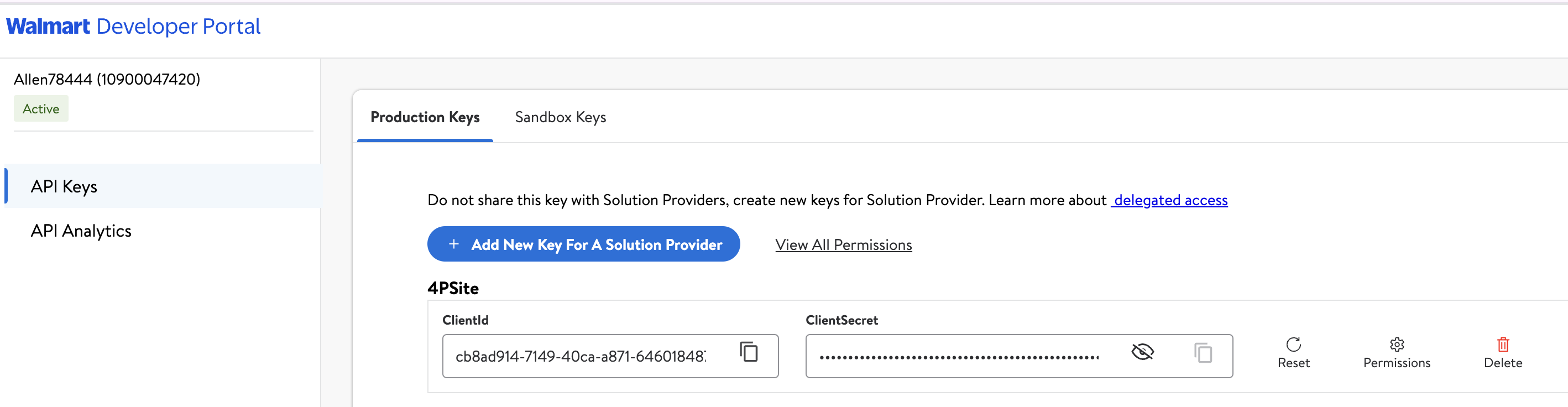
- Select My Account to log into the Developer Portal.

- Select Add New Key For A Solution Provider to set permissions for the provider to generate a Client ID and Client Secret.
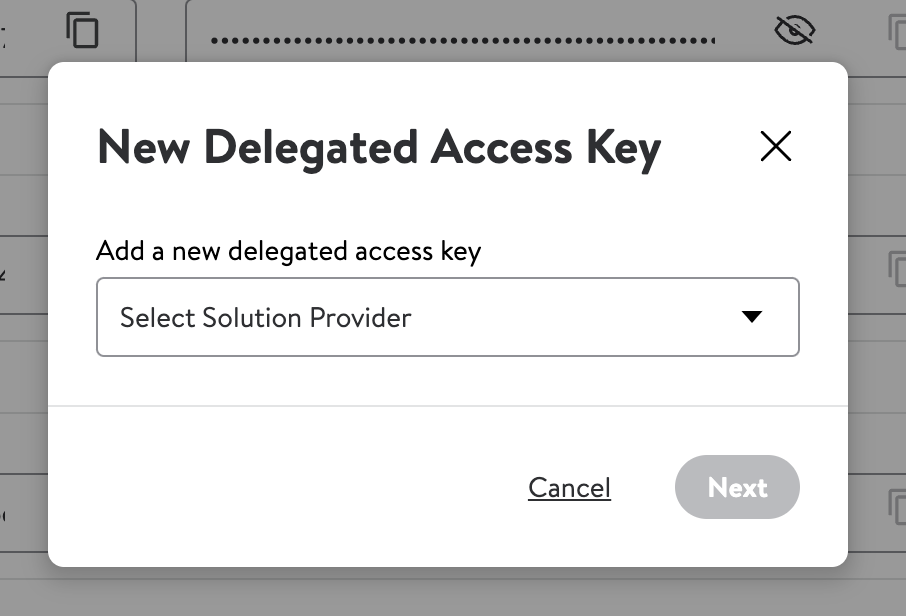
- Select the solution provider from the drop-down list. If your solution provider is not listed, contact Walmart. You need to have a contract with Walmart before you can delegate access to a solution provider.
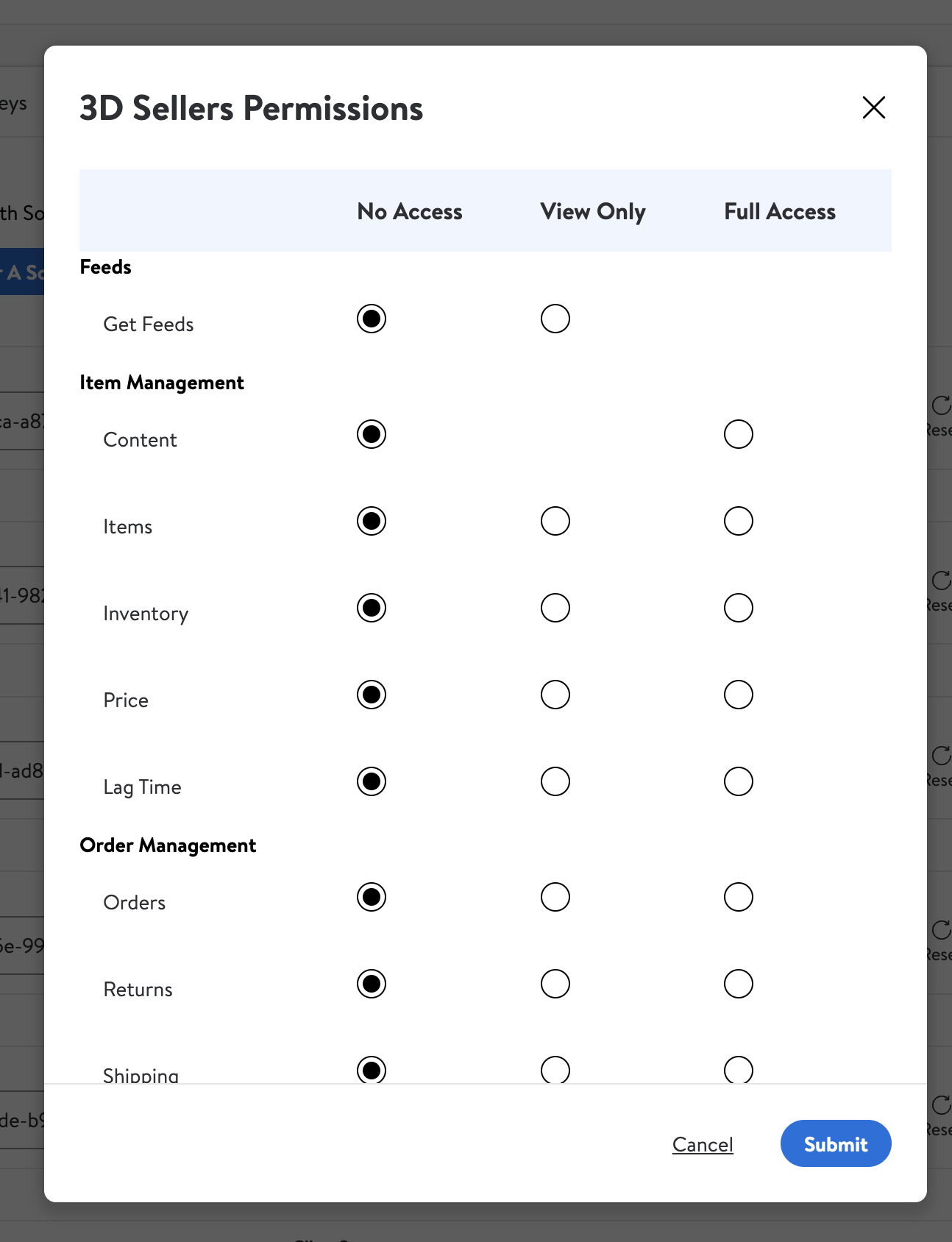
- Specify specific permissions, or to take the defaults. Then, select Submit.
- Copy the Client ID and Client Secret to give to your Solution Provider so that they can request an access token when they call the Token API.
Contract requirements
Approved Solution Providers must sign a contract to use delegated access with Walmart.
Updated 16 days ago